New version for Shopware available

Shopware Supplier Order Automation
Automatically send Shopware orders to the right supplier
Dropday automates the supplier order process after an order is placed in Shopware. Orders can be split by supplier, routed using your own rules and automatically sent in the format each supplier requires.
Send purchase orders by email, FTP/SFTP, API or EDI, while keeping full control over orders that need manual review.

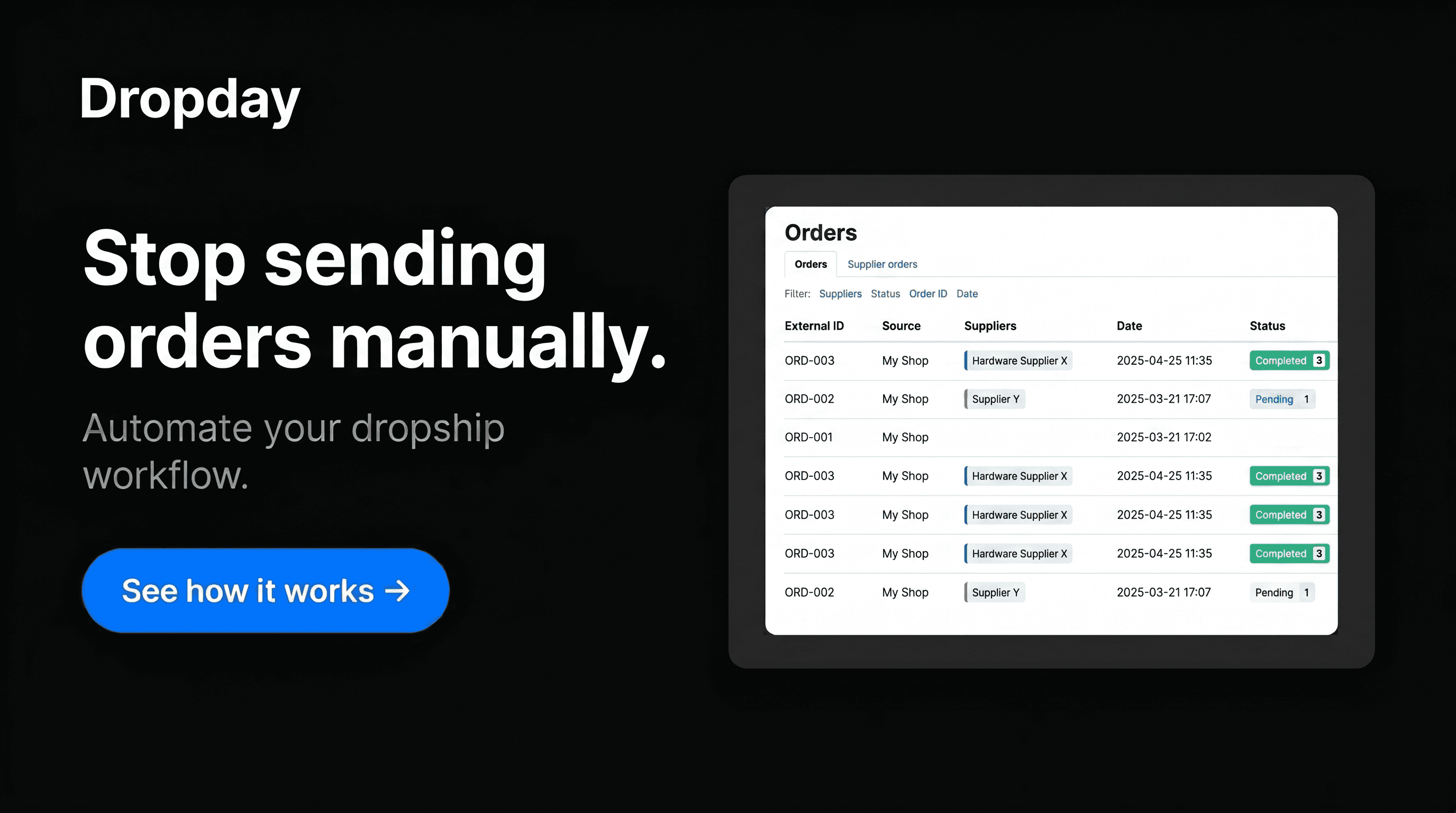
Automate supplier orders from Shopware
When a customer places an order in Shopware, Dropday takes over the repetitive work involved in getting that order to the correct supplier.
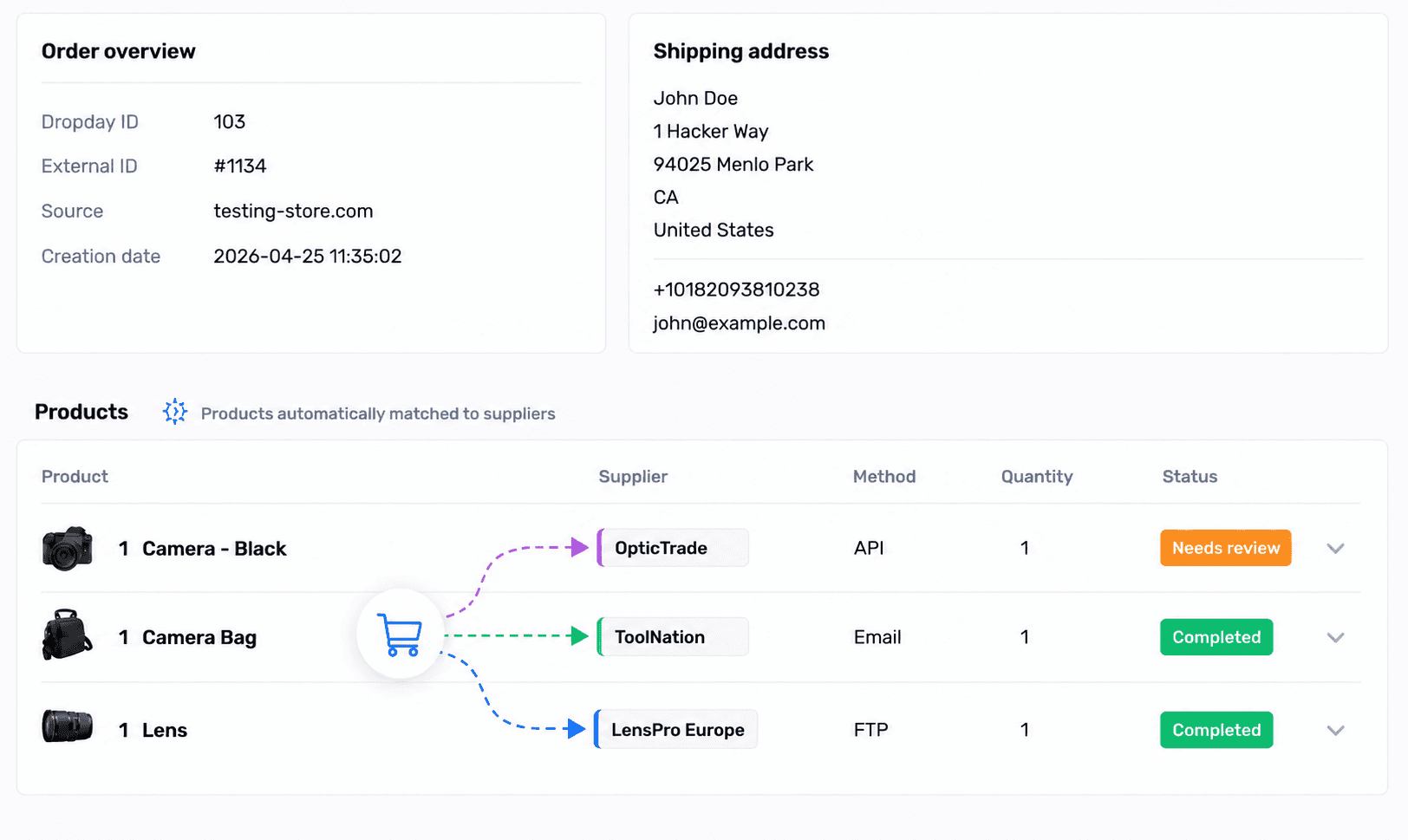
Instead of manually checking products, separating orders and creating purchase orders, Dropday automatically applies your supplier rules and processes each supplier order accordingly. If one Shopware order contains products from multiple suppliers, Dropday can automatically create and process a separate supplier order for each of them.
Automatically send purchase orders to suppliers
Every supplier has their own way of receiving orders. With Dropday, you can configure the order process separately for each supplier.
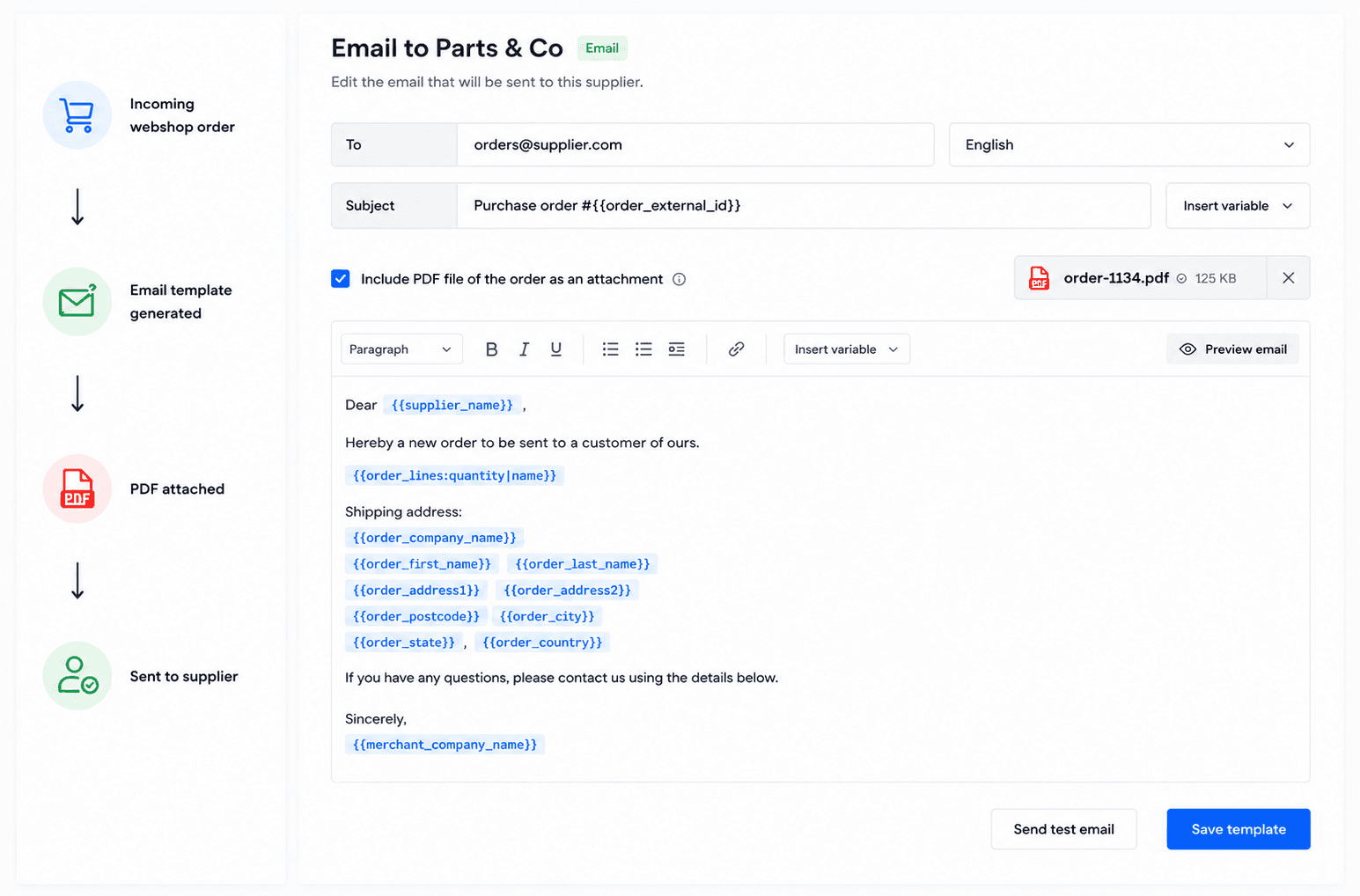
Dropshipping Automation via Email
In a specialized market, many high-quality vendors lack the infrastructure for advanced integrations and still rely on manual email communication. Dropday bridges this gap by automatically generating and sending professional, structured PDF or HTML purchase orders directly to your supplier's inbox the moment a Shopware transaction is completed. This ensures that your team no longer spends hours on manual data entry or "copy-paste" tasks, while maintaining a clear, searchable digital audit trail for every order sent.
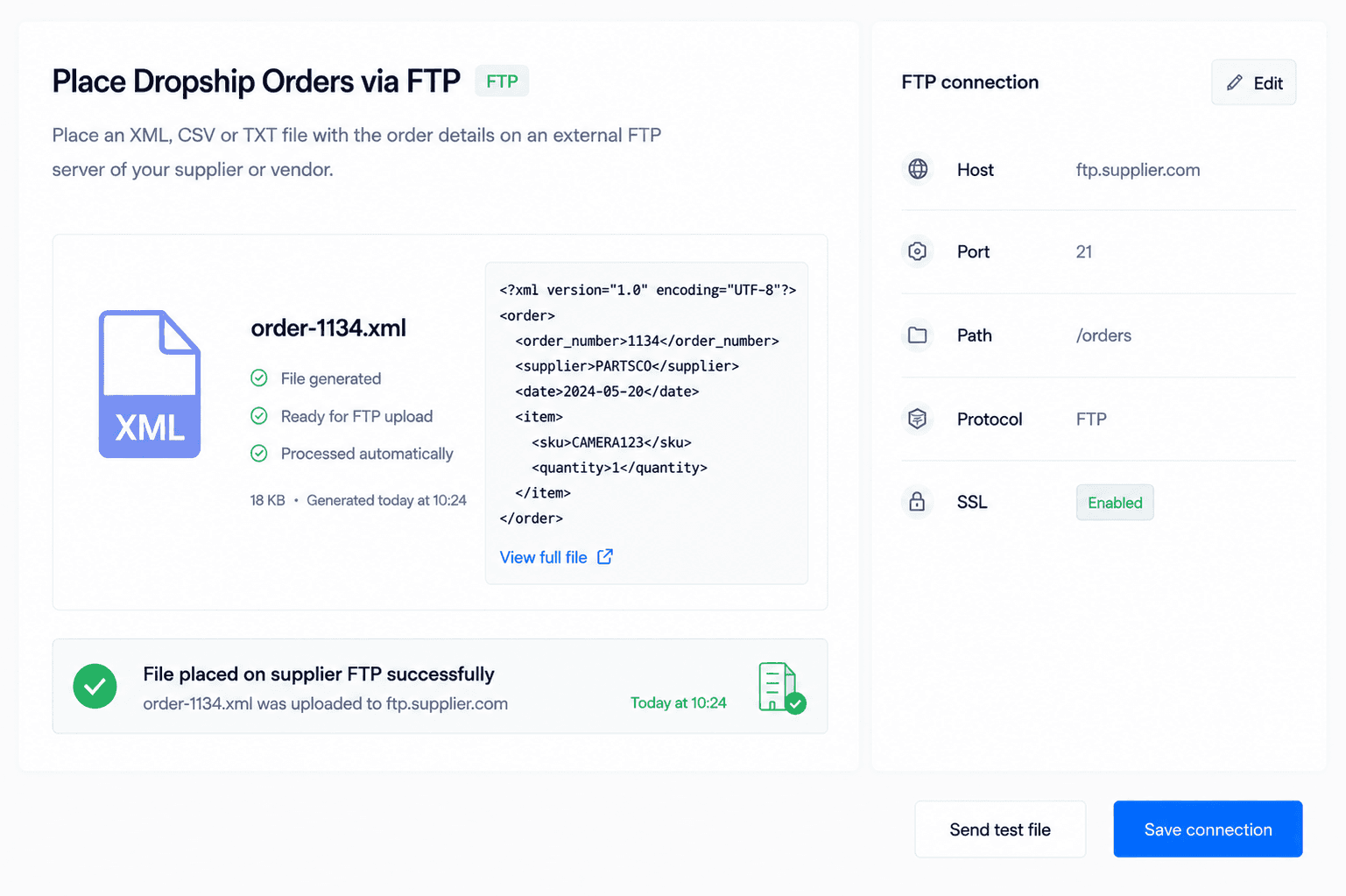
Automated Purchase Orders via FTP
Suppliers operating with legacy ERP systems or internal databases frequently use FTP (File Transfer Protocol) as their primary method for data ingestion. Dropday automates these workflows by converting your Shopware order data into clean CSV or XML files and uploading them directly to the supplier’s secure server at defined intervals. This eliminates the bottleneck of manual file attachments and ensures your orders are queued for fulfillment without human intervention on either side.
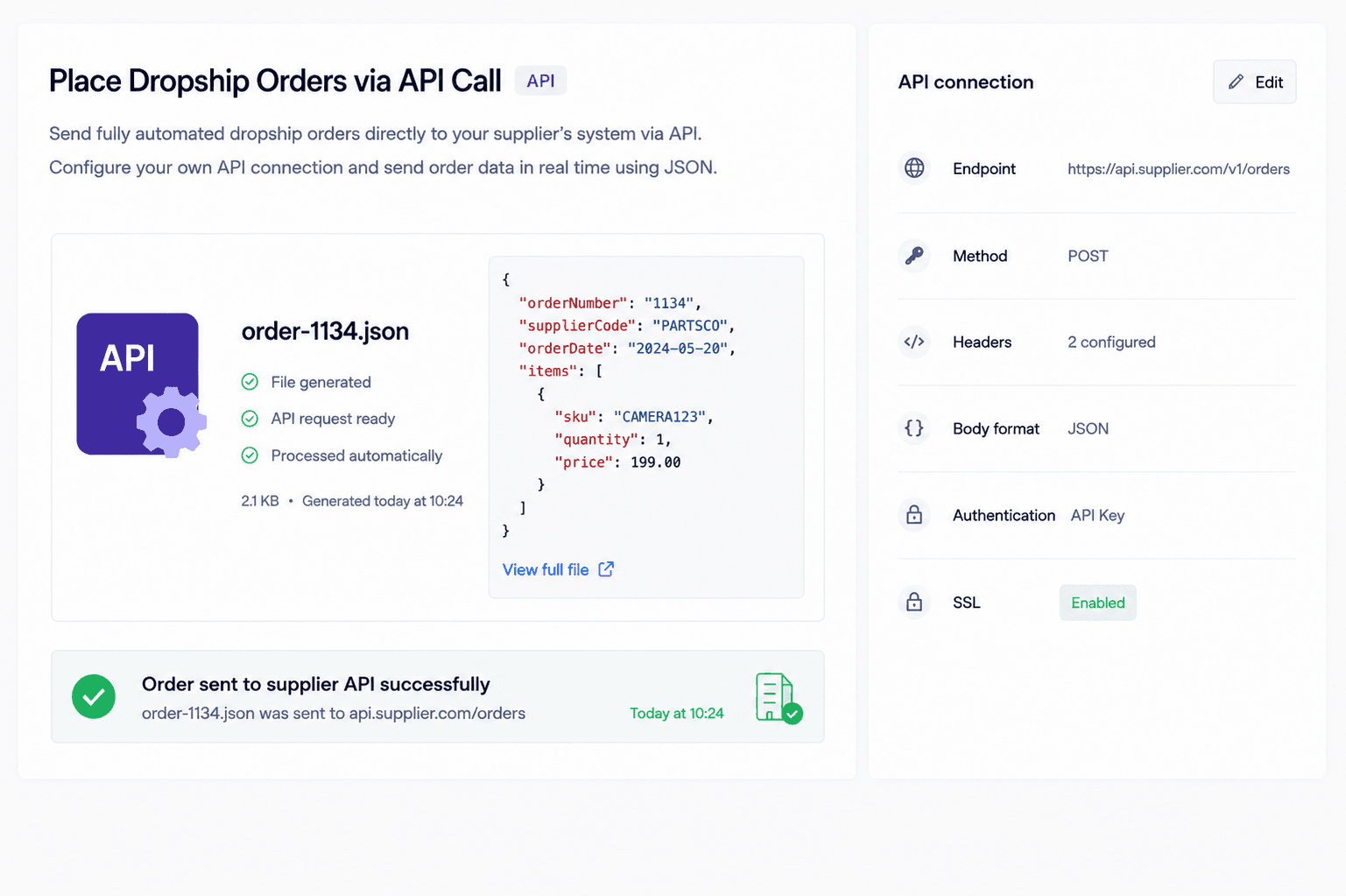
Dropshipping supplier API integration
For high-volume partnerships requiring real-time efficiency, a Shopware dropshipping supplier API integration is the most reliable method for transmitting order data. This connection enables a near-instant handshake between your store checkout and the supplier’s backend infrastructure. While Dropday focuses on the secure outbound transmission of these details to trigger immediate fulfillment, this API-driven approach serves as a cornerstone of modern Dropday integrations, replacing the risks of manual entry with a robust, scalable, and encrypted data flow.
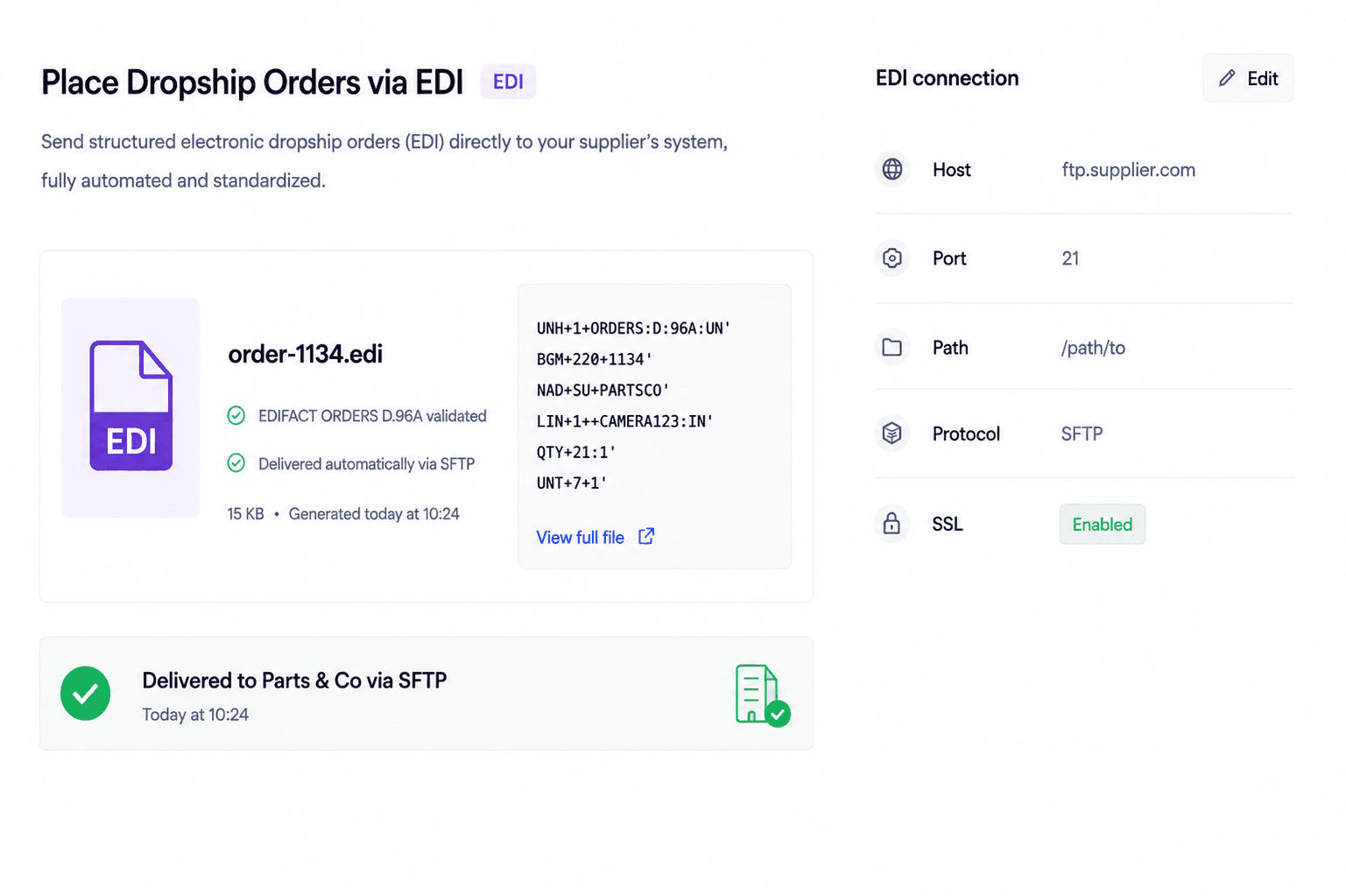
Dropship EDI integration
For enterprise-level partnerships, a Shopware dropship EDI integration is often a mandatory requirement to ensure data follows strict global compliance standards. These protocols can be a significant technical barrier for most merchants. By using Dropday to handle these complex transmissions, your store can unlock partnerships with Tier-1 suppliers and wholesalers, professionalizing the supply chain and ensuring that order data is communicated with enterprise-grade precision.
Split Shopware dropship orders automatically
Dropday identifies which SKUs in a single Shopware order belong to which supplier. It then uses the logic to split Shopware dropship orders automatically to generate individual, clean purchase orders. This prevents "Supplier A" from seeing sensitive data regarding products fulfilled by "Supplier B," maintaining professional standards and data privacy.
Review Dropship Orders
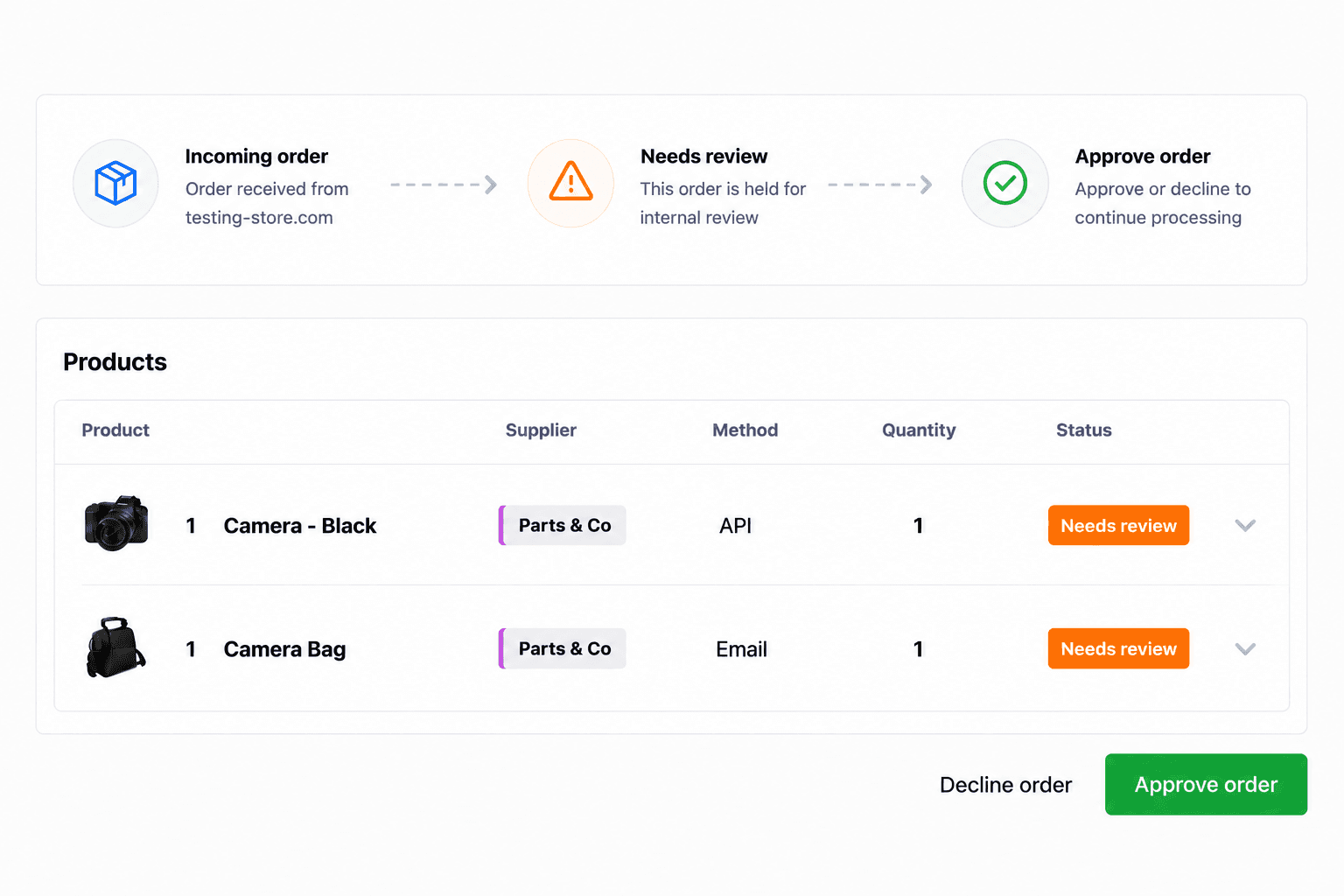
We believe in controlled automation, not blind automation. While Dropday can handle thousands of orders autonomously, you can set specific triggers to review dropship orders. If an order exceeds a certain value or involves international shipping, it can be held in the dashboard for approval by your team before being transmitted to the supplier.
Get started today
Download the Dropday plugin for Shopware, create an account at Dropday and start forwarding your orders to your suppliers.
Work with different supplier formats
How an order is sent and what the supplier receives are two separate things.
For example, one supplier may want to receive a PDF by email, while another requires a CSV file through SFTP or structured order data through an API.
Depending on the supplier workflow, Dropday can work with formats such as:
PDF
CSV
XML
TXT
JSON
EDIFACT
X12
Custom structured files
This allows you to configure each supplier order based on the specifications provided by that supplier.
Decide which orders should be automated
Not every order has to be processed automatically.
Dropday rules determine what should happen when a Shopware order comes in.
You can use rules to:
send products to the correct supplier;
automatically process supplier orders;
split orders across multiple suppliers;
use a different workflow for each supplier;
hold specific orders for manual review;
keep selected products for internal fulfilment.
This gives you control over which parts of the supplier workflow are automated and which still require your attention.
Reduce manual order processing
Without supplier order automation, every new Shopware order can create additional administrative work.
Your team may need to:
identify the supplier for each product;
separate products from multi-supplier orders;
copy customer and shipping information;
create supplier purchase orders;
convert order information into the supplier's required format;
send or upload the order;
repeat the process for every supplier.
Dropday automates these repetitive steps.
Instead of processing every supplier order manually, your team can focus on the orders and exceptions that actually need attention.
Get started today
Download the Dropday plugin for Shopware, create an account at Dropday and start forwarding your orders to your suppliers.