EDI for Shopify: Automating Supplier Orders with Professional Standards
Shopify creates a robust environment for front-end sales and customer management, but its native backend capabilities often fall short when connecting with established industrial suppliers. Large distributors and manufacturers rarely operate via modern REST APIs. Instead, they rely on legacy standards for data exchange. Implementing EDI for Shopify allows you to bridge the gap between modern e-commerce infrastructure and traditional supply chain requirements.
Merchants often realize they need a specialized Shopify dropship app when they land a contract with a major supplier who mandates strict electronic ordering protocols. Without an automated solution, your team is forced to manually translate Shopify orders into complex file formats, a process that is unsustainable at scale. Dropday solves this by acting as the middleware layer, automatically translating and transmitting dropship edi files without human intervention.
The Disconnect Between Shopify APIs and EDI Standards
Shopify stores data in JSON format and communicates primarily via API or webhooks. This is excellent for connecting to modern marketing tools or shipping platforms like ShipStation. However, the global supply chain has run on Electronic Data Interchange (EDI) for decades.
When a supplier asks for an EDI 850 (Purchase Order), they are requesting a standardized text file formatted with specific syntax rules (segments and elements) that their ERP system can ingest automatically. They do not want a CSV attached to an email, and they cannot connect directly to your Shopify API.
Attempting to build a custom edi integration shopify workflow from scratch requires significant development resources. You would need to build a server to catch Shopify webhooks, parse the JSON, map it to the specific EDI standard (like ANSI X12 or EDIFACT), and then transmit it via a secure protocol like SFTP or AS2. Dropday handles this infrastructure entirely, allowing you to configure these connections through a user interface rather than custom code.
Why Mature Supply Chains Demand Dropship EDI
Efficiency in logistics relies on standardization. When you send an order via email or a non-standard CSV, the supplier must often manually re-key that data into their warehouse management system (WMS). This introduces a high risk of human error, such as mistyped SKUs or incorrect shipping addresses.
Adopting professional dropship edi protocols transforms your relationship with vendors. It signals that your business is operationally mature. By sending structured data that validates before transmission, you ensure that orders are processed faster. The supplier’s system ingests the file immediately, triggering the pick and pack process without manual review. For high-volume merchants, this speed difference often results in same-day shipping rather than a 24-hour delay.
Advanced Logic for Shopify Purchase Order Automation
Sending an EDI file is only the final step in the process. The complexity lies in deciding which orders should generate an EDI file and exactly what data that file should contain. This requires sophisticated Shopify purchase order automation logic that sits between your store and the supplier.
Dropday allows you to define granular rules before the EDI generation takes place:
Supplier Routing: If an order contains products from multiple vendors, Dropday splits the order. It might send an EDI X12 file to Supplier A and a formatted CSV via FTP to Supplier B.
Data Transformation: Suppliers often use different SKU codes than your Shopify store. Dropday can map your internal SKUs to the supplier’s specific part numbers automatically during file generation.
Holding Rules: You can set rules to hold orders for manual review if they exceed a certain dollar value or ship to high-risk locations, ensuring you only transmit validated orders via EDI.
Technical Capabilities and Supported Formats
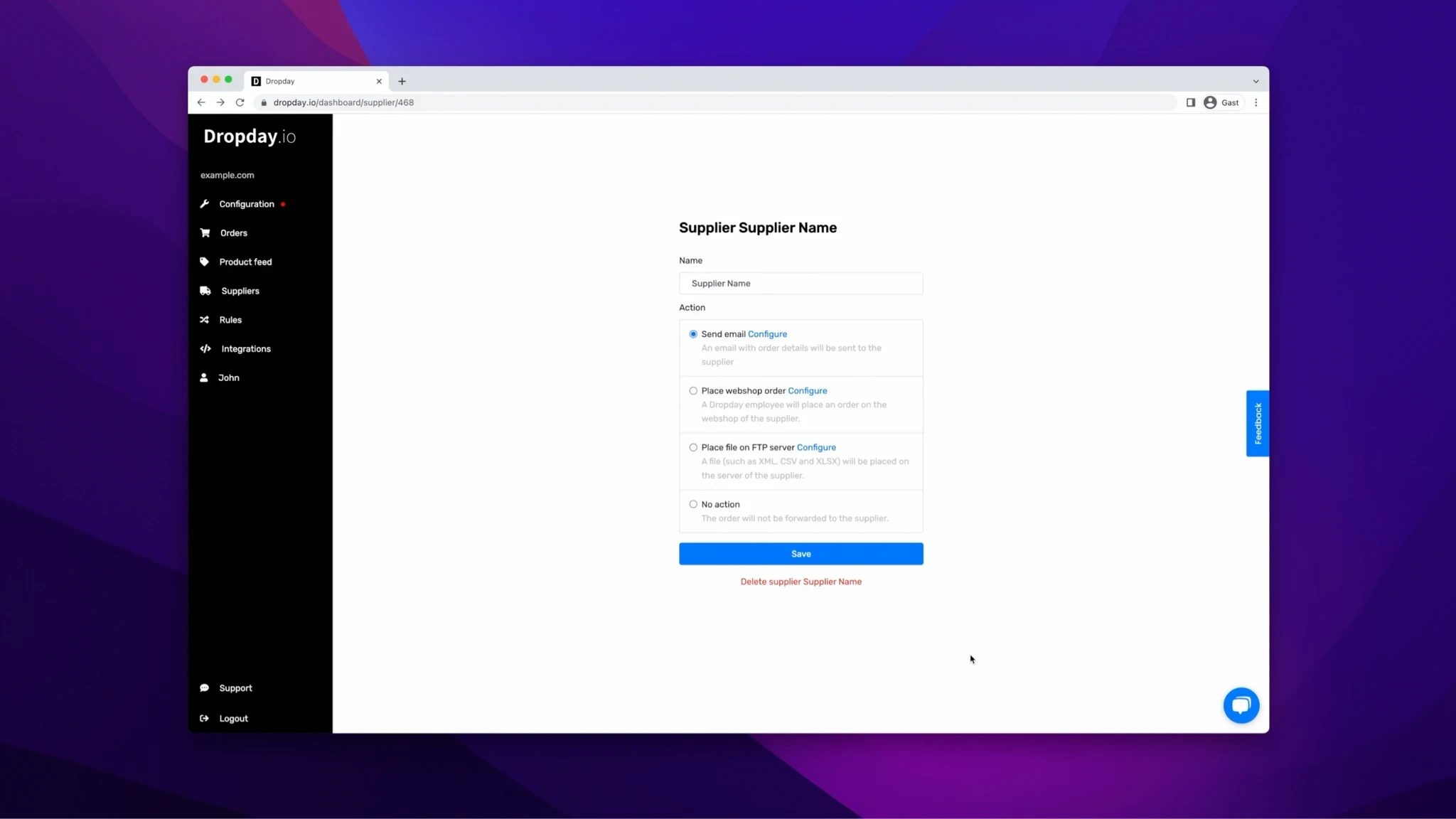
Dropday is designed to handle the rigid specifications of legacy systems while maintaining the flexibility of a modern SaaS. Our system generates the required files based on your mapped fields and delivers them directly to the supplier's server.
Supported EDI Standards:
EDIFACT: Common in Europe and international trade (e.g., ORDERS messages).
ANSI X12: The standard for North American supply chains (e.g., 850 Purchase Order).
XML: While not strictly EDI, many modern ERPs accept structured XML which Dropday also generates.
Custom Formats: If a supplier uses a proprietary fixed-width or delimited format, our mapping engine can replicate it.
Delivery Methods: Once the file is generated, Dropday delivers it via the protocol your supplier dictates:
FTP / SFTP / FTPS: Secure file transfer directly to the supplier’s directory.
Email: Automated attachment dispatch (for suppliers who ingest attachments automatically).
API: For suppliers who have modernized their intake but still require complex data payloads.
With Dropday, this complexity is easily managed, allowing for effortless dropshipping by using EDI with Shopify. By integrating EDI in your Shopify store through Dropday, you can eliminate manual processes, reduce errors, and ensure faster delivery times.
Practical Example: Automating a Multi-Vendor Workflow
Consider a furniture retailer using Shopify. They receive an order containing a sofa from a large national distributor and a lamp from a local artisan.
Ingest: Dropday imports the order from Shopify in real-time.
Routing: The system identifies the sofa SKU belongs to the national distributor.
EDI Generation: Dropday converts the order details for the sofa into an EDI 850 file (X12 standard). It maps the Shopify shipping method "Expedited" to the supplier’s specific service code "FEDEX_2DAY".
Transmission: The EDI file is uploaded automatically to the distributor’s SFTP server.
Secondary Action: Simultaneously, the lamp order is converted to a simple PDF packing slip and emailed to the local artisan.
This workflow happens instantly in the background. The Shopify dashboard is updated with the status, and the operations manager only intervenes if an error flag is raised.
Control and Visibility
Automation should not be a "black box." When managing EDI for Shopify, visibility is critical. Dropday provides a comprehensive log of every action. You can see exactly when the order was received, how the logic rules were applied, the exact content of the generated EDI file, and the server response from the supplier confirming receipt.
This transparency allows operations teams to troubleshoot issues independently. If a supplier claims they never received an order, you have the transmission logs and timestamps to verify delivery.