New version for Shopify available

Shopify Supplier Order Automation
Automatically send Shopify orders to the right supplier
Dropday automates the supplier order process after an order is placed in Shopify. Orders can be split by supplier, routed using your own rules and automatically sent in the format each supplier requires.
Send purchase orders by email, FTP/SFTP, API or EDI, while keeping full control over orders that need manual review.

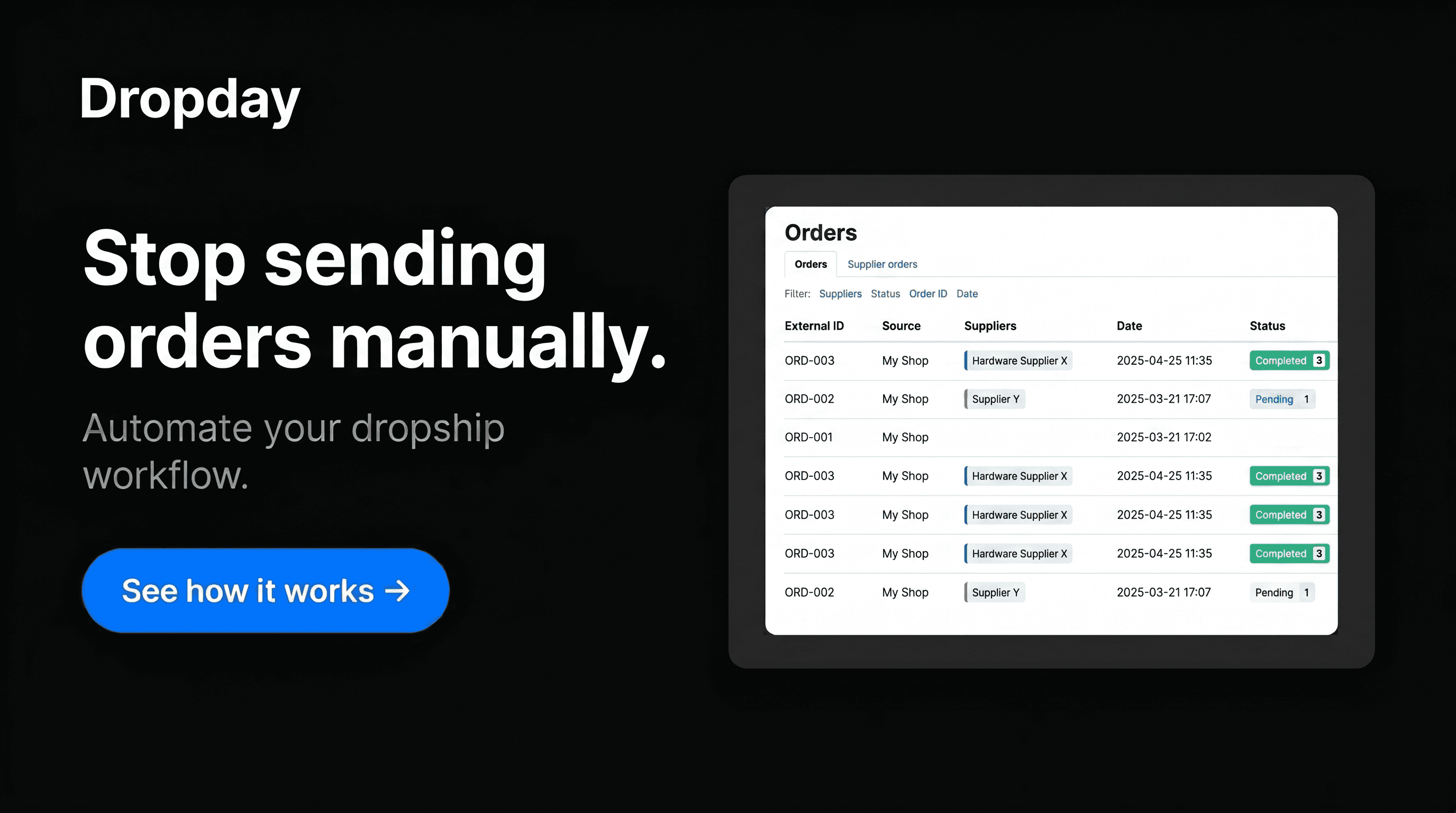
Effective Shopify dropship automation is not about removing human oversight; it is about replacing repetitive data entry with reliable, rule-based workflows. By connecting your store to the broader ecosystem of Dropday integrations, you ensure that every order reaches the correct supplier in the format they require without manual intervention.
Moving beyond basic Shopify dropship app functionality
Many merchants start with a basic Shopify dropship app designed for low-volume fulfillment or simple marketplace imports. While these are sufficient for starters, they lack the technical depth required for professional B2B relationships. Mature e-commerce operations often deal with multiple suppliers, each with unique technical requirements and varying stock levels.
Dropday acts as the intelligent routing layer between your Shopify admin and your fulfillment partners. Instead of being locked into a specific ecosystem, you can automate workflows with any global supplier, regardless of their technical maturity.
Technical methods for supplier connectivity
A robust strategy for Shopify dropship automation must account for the fact that suppliers operate on different technical tiers. Dropday provides four primary methods to bridge the gap between your Shopify store and your vendors.
Dropshipping Automation via Email
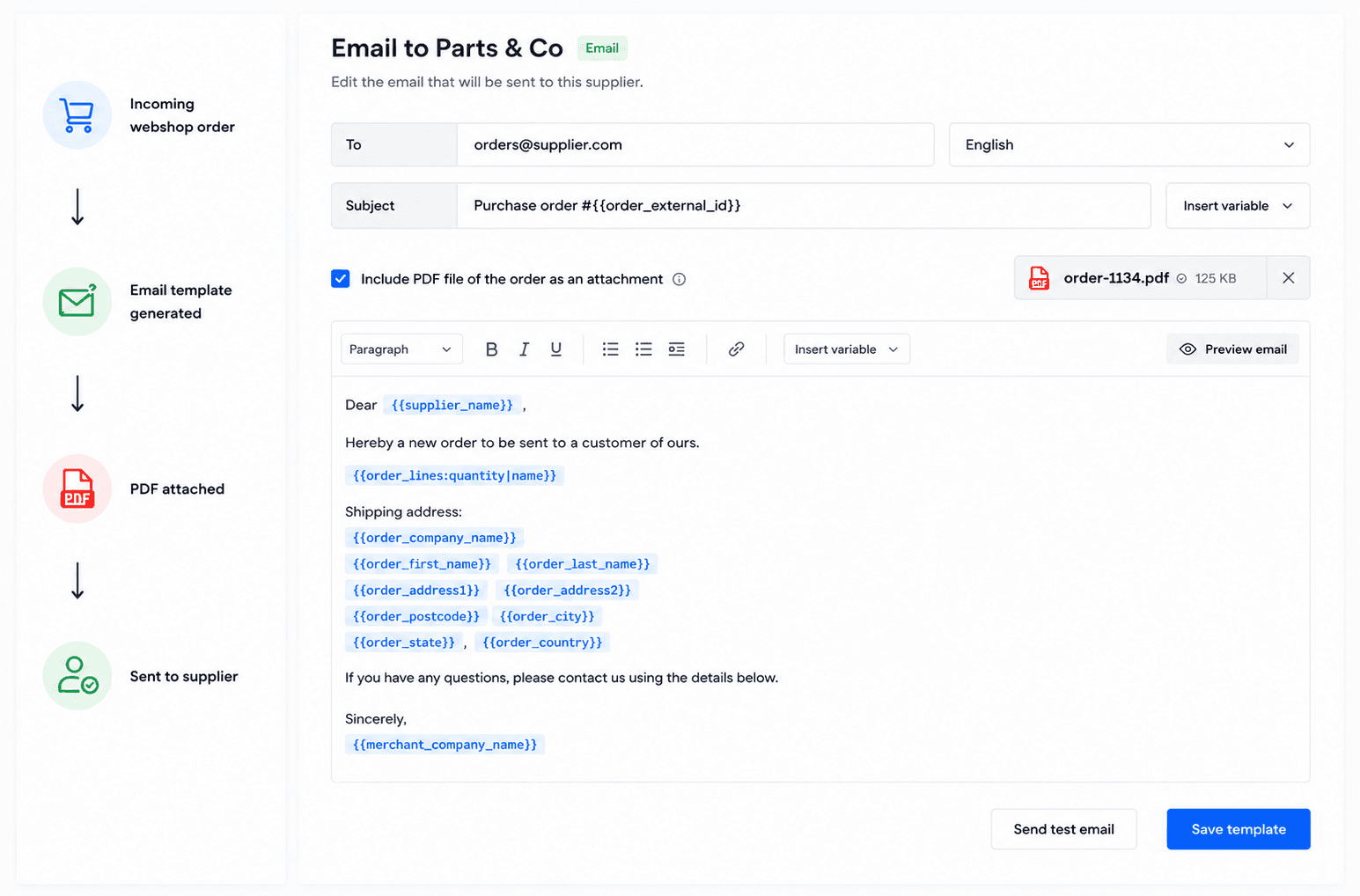
Not every supplier has an API. Many specialized vendors still rely on email. Dropday automates this by sending professional, structured PDF or HTML purchase orders directly to the supplier's sales desk the moment a customer checks out on Shopify. This maintains a digital paper trail while removing the manual "copy-paste" task from your team.
Automated Purchase Orders via FTP
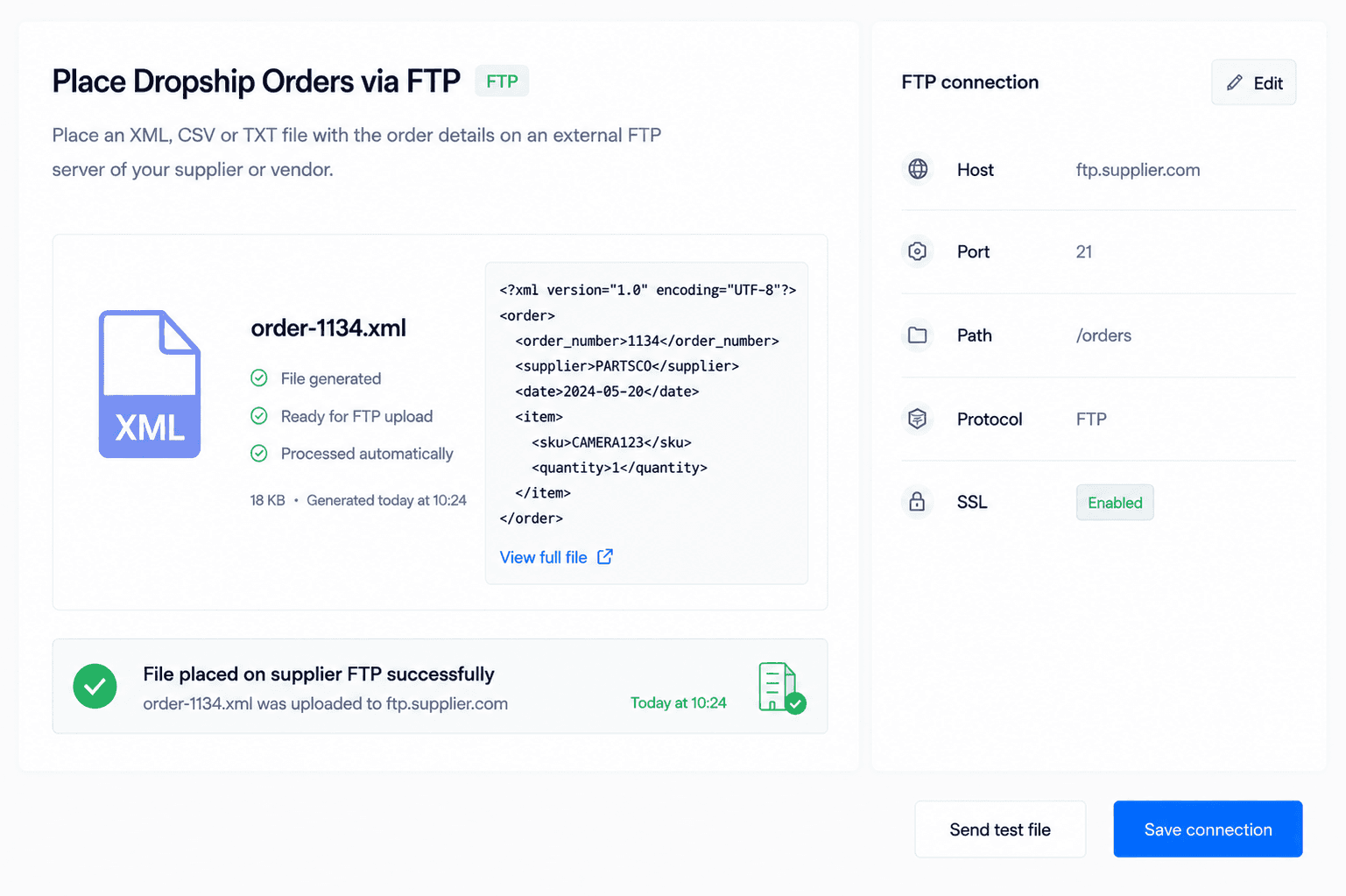
For suppliers who use legacy ERP systems or local databases, FTP (File Transfer Protocol) remains a standard. Dropday generates a CSV or XML file based on your Shopify orders and uploads it directly to the supplier’s server at scheduled intervals. This eliminates the need for the supplier to manually download attachments from their inbox.
Dropshipping supplier API integration
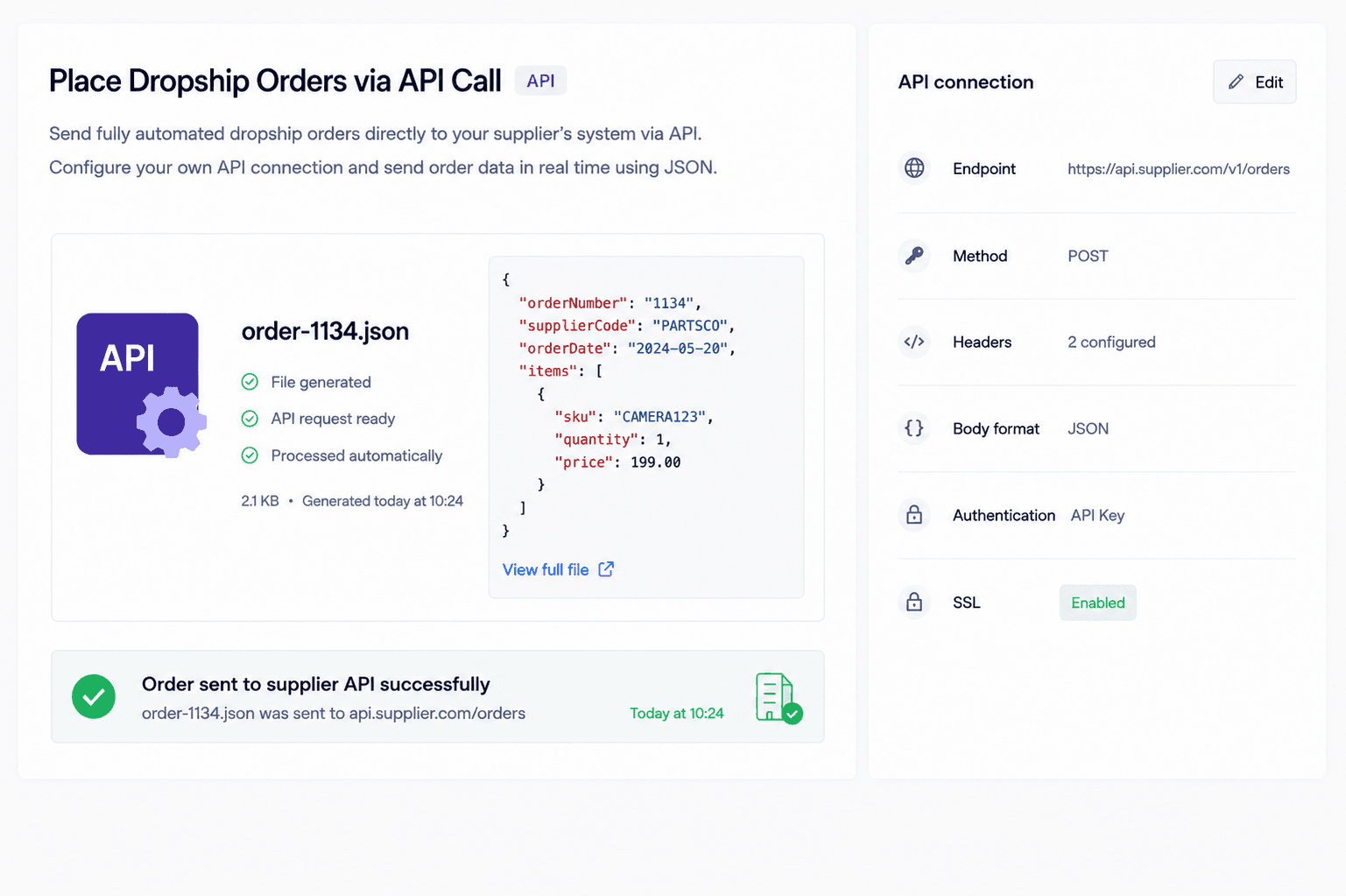
When immediate data exchange is required, a Shopify dropshipping supplier API integration is the most efficient route for pushing order data. This method allows for near-instant order placement, ensuring your store’s front end triggers an immediate handshake with the supplier’s backend infrastructure. While Dropday focuses on the reliable outbound transmission of order details to ensure fulfillment starts without delay, this API-driven approach is a core component of modern Dropday integrations, providing a faster and more secure alternative to manual data entry or email-based workflows.
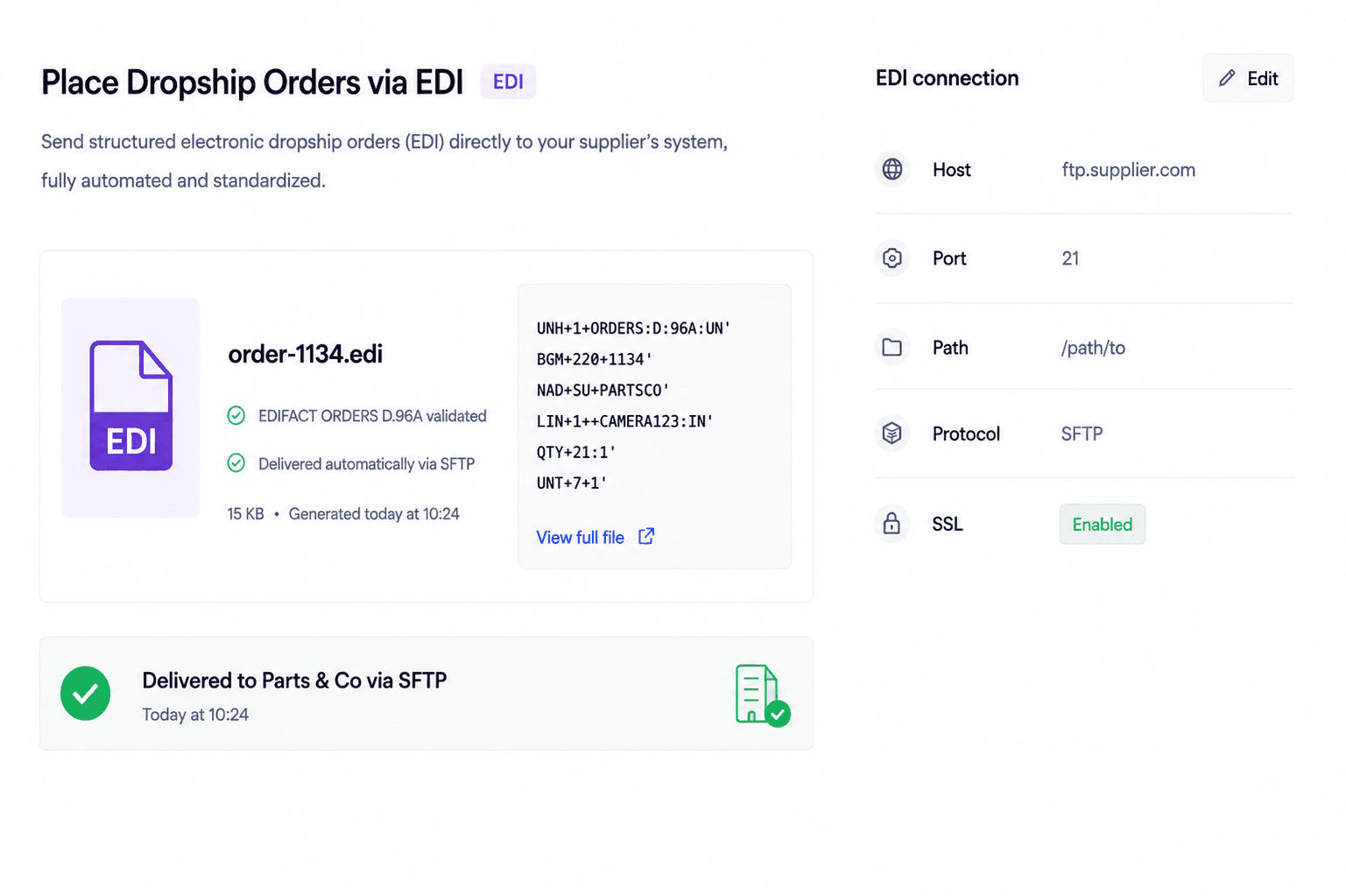
Dropship EDI integration
For enterprise-level partnerships, a Shopify dropshipping EDI integration is often a mandatory requirement. EDI (Electronic Data Interchange) ensures that order data follows strict international standards for secure transmission. By utilizing Dropday to handle these complex protocols, Shopify merchants can work with large-scale distributors that would otherwise be inaccessible due to technical barriers.
Split Shopify dropship orders automatically
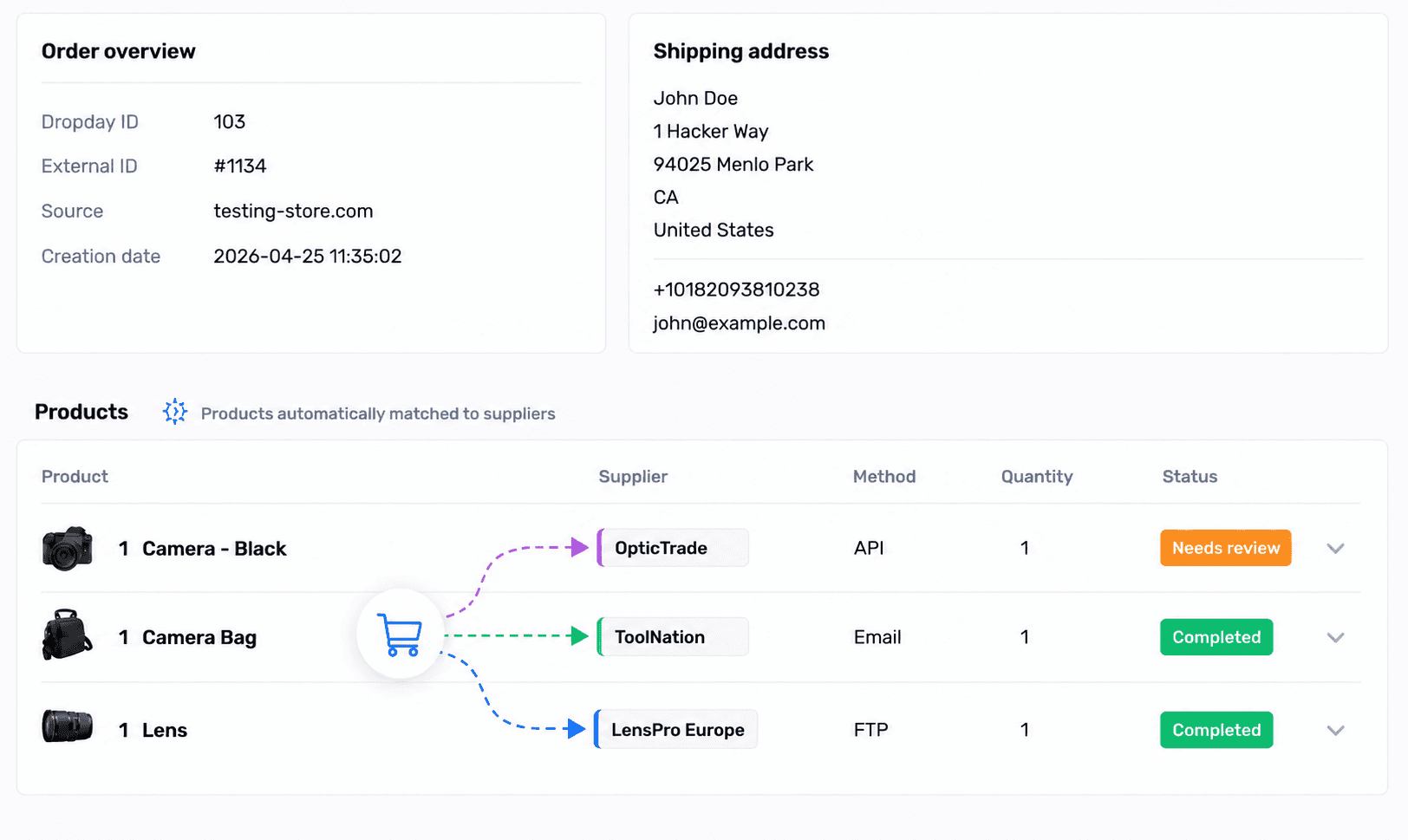
In a multi-vendor environment, a single customer checkout often contains products from different warehouses. High-level Shopify dropship automation includes the ability to automatically detect if an order contains items from multiple suppliers. Dropday intelligently splits the order into separate purchase orders and routes them to the correct vendors using their preferred communication method (API, FTP, or Email) simultaneously.
Controlled review of Shopify dropship orders
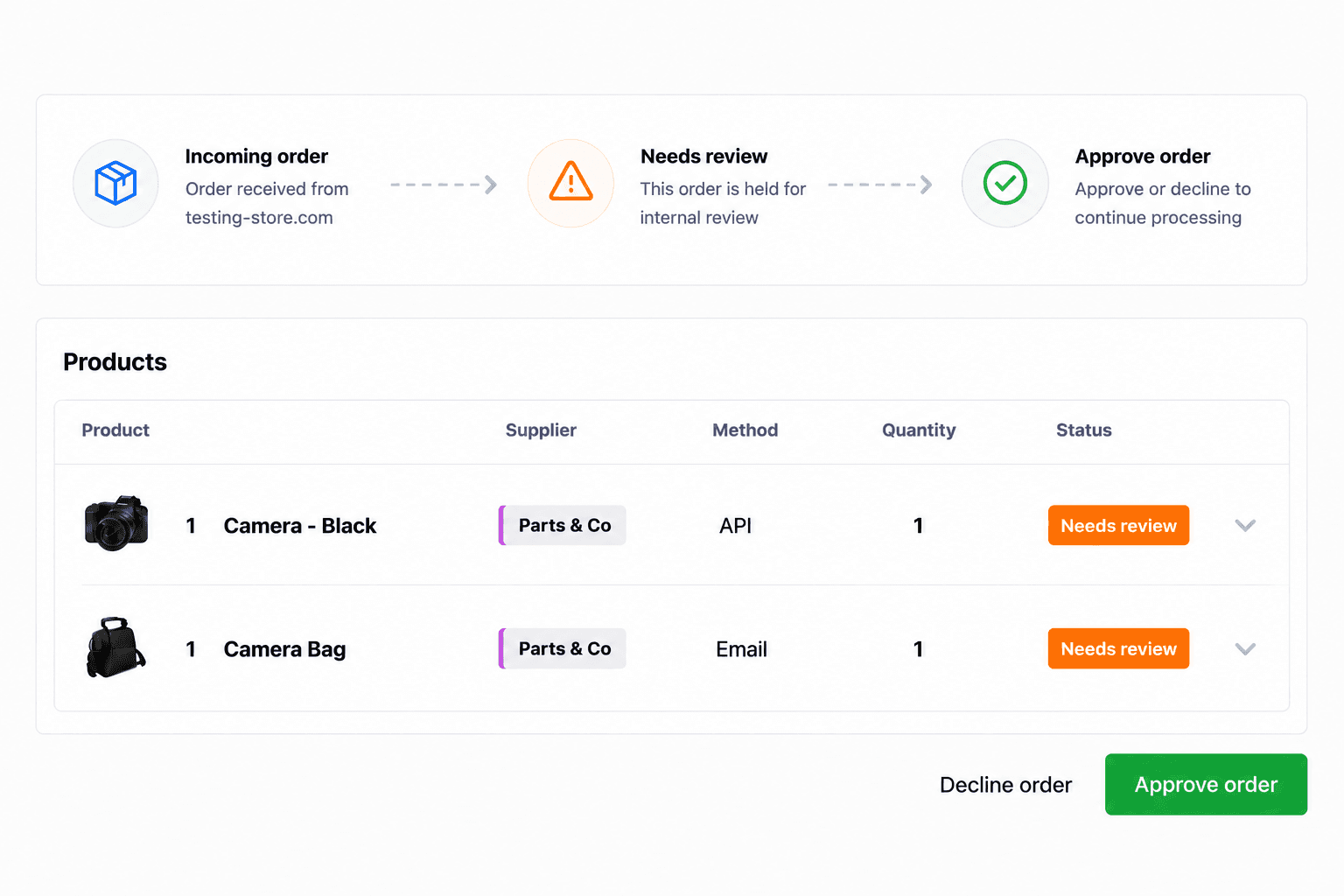
While the goal is 100% automation, "blind" automation can be risky. Professional operations often require a safety net for specific scenarios. You can set granular rules to hold orders for manual review based on criteria such as high dollar value, specific destination countries, or unverified addresses. This ensures that your Shopify dropship app workflow remains efficient while preventing costly fulfillment errors.
Get started today
Install the Dropday app for Shopify, create an account at Dropday and start forwarding your orders to your suppliers.
Integrating Shopify into a wider operations strategy
Successful automation requires viewing your webshop as part of a larger ecosystem. High-growth brands do not look for a quick fix; they look for Dropday integrations that can adapt as their supplier list grows.
If you add a new supplier who only works via FTP, your automation should not break. If you move from a single warehouse to a multi-vendor setup, your Shopify logic must be able to route those items correctly. The goal is to build a system where the "cost per order" in terms of human labor stays near zero, even as order volume doubles or triples.
Building a scalable fulfillment workflow
The transition from manual to automated fulfillment is a significant milestone for any Shopify merchant. It represents a shift from "working in the business" to "working on the business." By removing yourself or your staff from the data entry loop, you free up resources to focus on marketing, product sourcing, and customer relationship management.
A well-configured integration ensures:
Data Integrity: Shipping addresses and SKUs are transmitted exactly as they appear in Shopify.
Transparency: You can see exactly when an order was sent and when the transmission was completed.
Speed: Orders reach the supplier minutes after the customer pays, reducing the total lead time.
If your current workflow involves spreadsheets, manual emails, or constant logging in and out of different supplier portals, your growth is capped by your own bandwidth. Implementing structured automation removes that cap.
Get started today
Install the Dropday app for Shopify, create an account at Dropday and start forwarding your orders to your suppliers.